MCP Server (AI assistants)
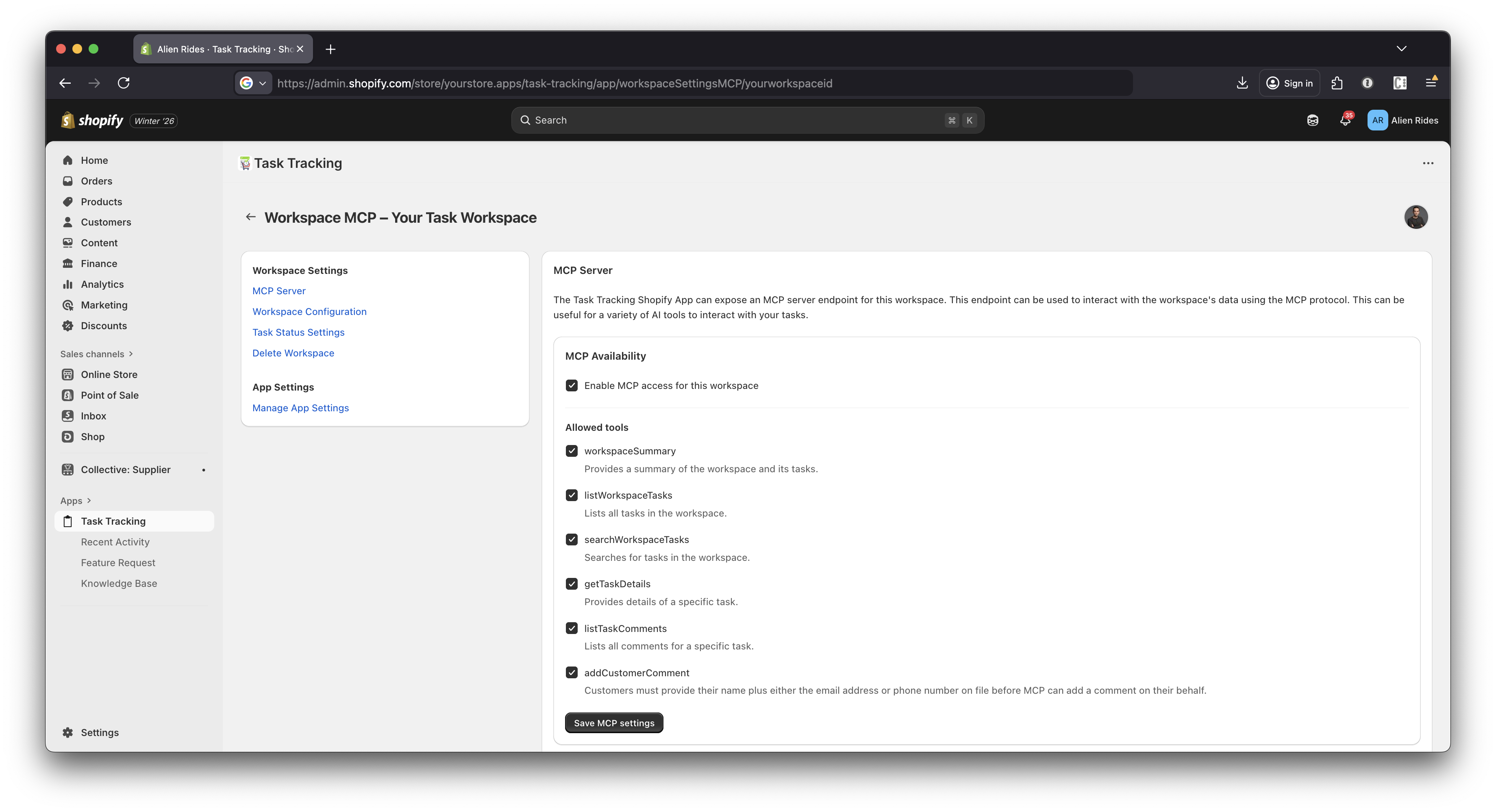
The Task Tracking app exposes an MCP (Model Context Protocol) server so AI assistants can securely interact with your workspace data. This enables assistants to:
- Search tasks by customer name, phone, email, task number, or general query
- List recent tasks in a workspace
- Get detailed task info (status, priority, assigned user, customer details)
- Summarize the workspace (recent task counts, sample tasks)
- Add customer comments (optional tool, gated by settings and verification)
Available tools
Your workspace/credential settings control which tools are available, but the core tool set is:
workspaceSummarylistWorkspaceTaskssearchWorkspaceTasksgetTaskDetailslistTaskCommentsaddCustomerComment(optional)
Endpoint
The MCP server endpoint is scoped to a workspace:
- Path:
/app/api/mcp/server/<workspaceId>
Authentication
Requests must include:
- Header:
Authorization: Bearer <token> - Token format:
mcp_live_<...>
Important notes:
- The secret preview shown in the UI is not the token. You must use the full
mcp_live_...token. - Tokens are verified server-side and can be revoked.
How MCP calls work
MCP uses JSON-RPC 2.0. Typical flow:
initializetools/listtools/call
Example requests
Initialize
{
  "jsonrpc": "2.0",
  "id": "init-1",
  "method": "initialize",
  "params": {
    "protocolVersion": "2024-11-05",
    "capabilities": { "tools": {}, "resources": {}, "prompts": {} }
  }
}
List tools
{
  "jsonrpc": "2.0",
  "id": "tools-1",
  "method": "tools/list",
  "params": {}
}
Call a tool: Search workspace tasks
{
  "jsonrpc": "2.0",
  "id": "search-1",
  "method": "tools/call",
  "params": {
    "name": "searchWorkspaceTasks",
    "arguments": {
      "query": "russell",
      "limit": 10
    }
  }
}
Customer comments and verification
If the Add customer comment tool is enabled for your workspace/credential, the server may require customer verification before accepting a comment.
Verification factors can include:
- Task number
- Customer name
- Phone number
The required number of factors is controlled by your MCP credential/workspace settings.
Troubleshooting
- 401 Unauthorized: the token is missing/invalid, or you’re sending the preview instead of the full token.
- Empty search results: try searching with fewer terms, or search by phone digits (e.g.
7035974534).