Tasks
Tasks are our bread and butter. It's what this app was meant to track!
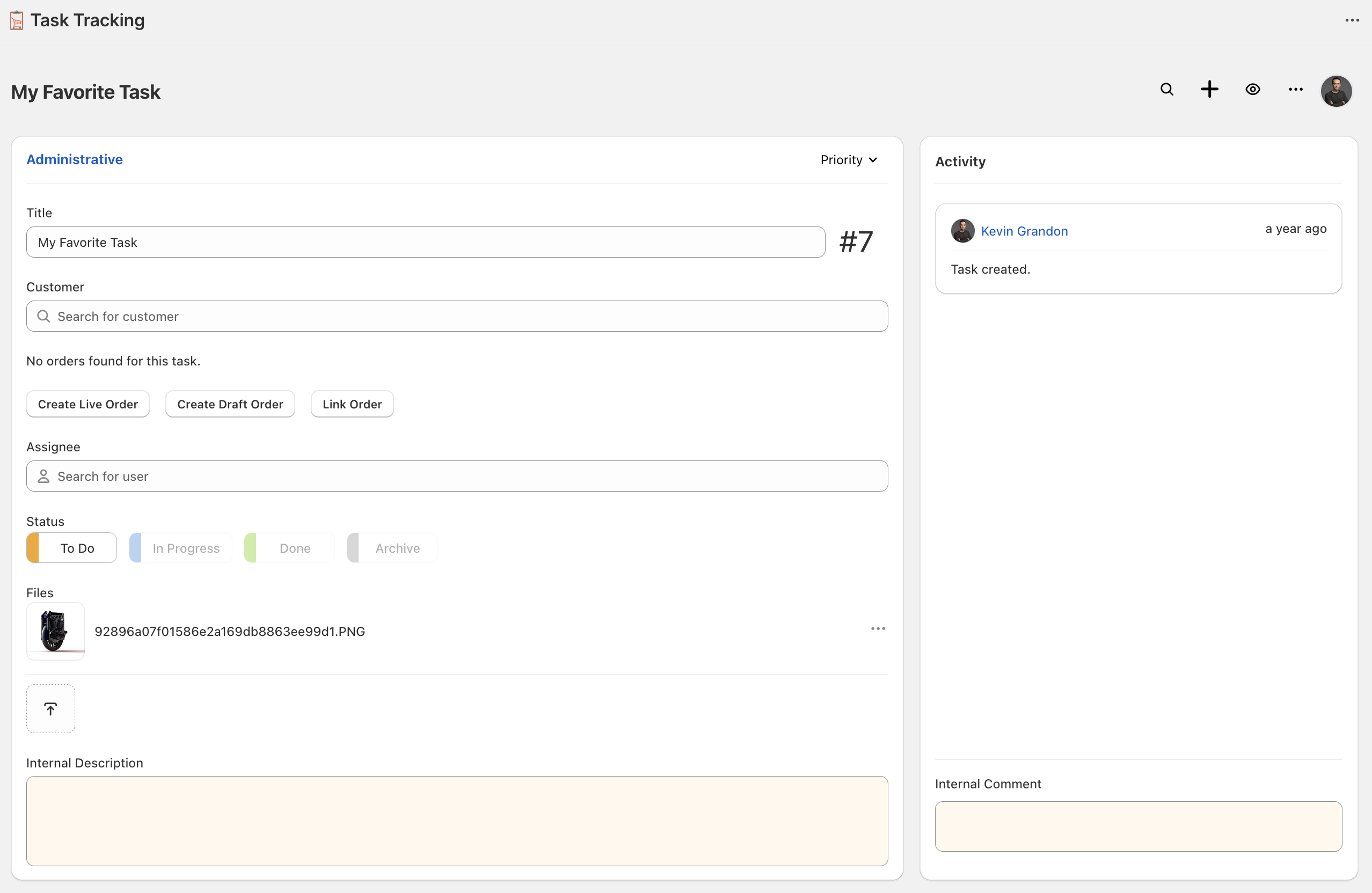
Task Features
Task Status
Each task can be assigned to a single Task Status. Default Task Statuses are created for you when creating a workspace and you can customize the name, questions, and visibility of all workspace Task Statuses. Task Statuses allow your shop to customize your workflow for each Workspace. The default Task Statuses are:
- Todo
- In Progress
- Completed
- Archive - Not visible.
Task statuses are displayed in columns on the Workspace Page and in a button group on the Task Page. You may define Task Status Questions per Task Status which will prompt an employee to answer questions when setting a Task to that Task Status.
A few other things that you can accomplish with tasks include:
- Autosaving for all task features - Everything you type into the task page autosaves.
- Specifying a name and description.
- Searching all shop tasks for a customer, name or description.
- Integrated customer SMS notification template.
- Task Files - Upload any files to your task.
- Task Comments - Comment and discuss tasks with your team.
- Link draft orders, orders and customers to tasks.