Mobile Shortcuts
There are a variety of shortcuts that can improve working with Task Tracking on mobile devices.
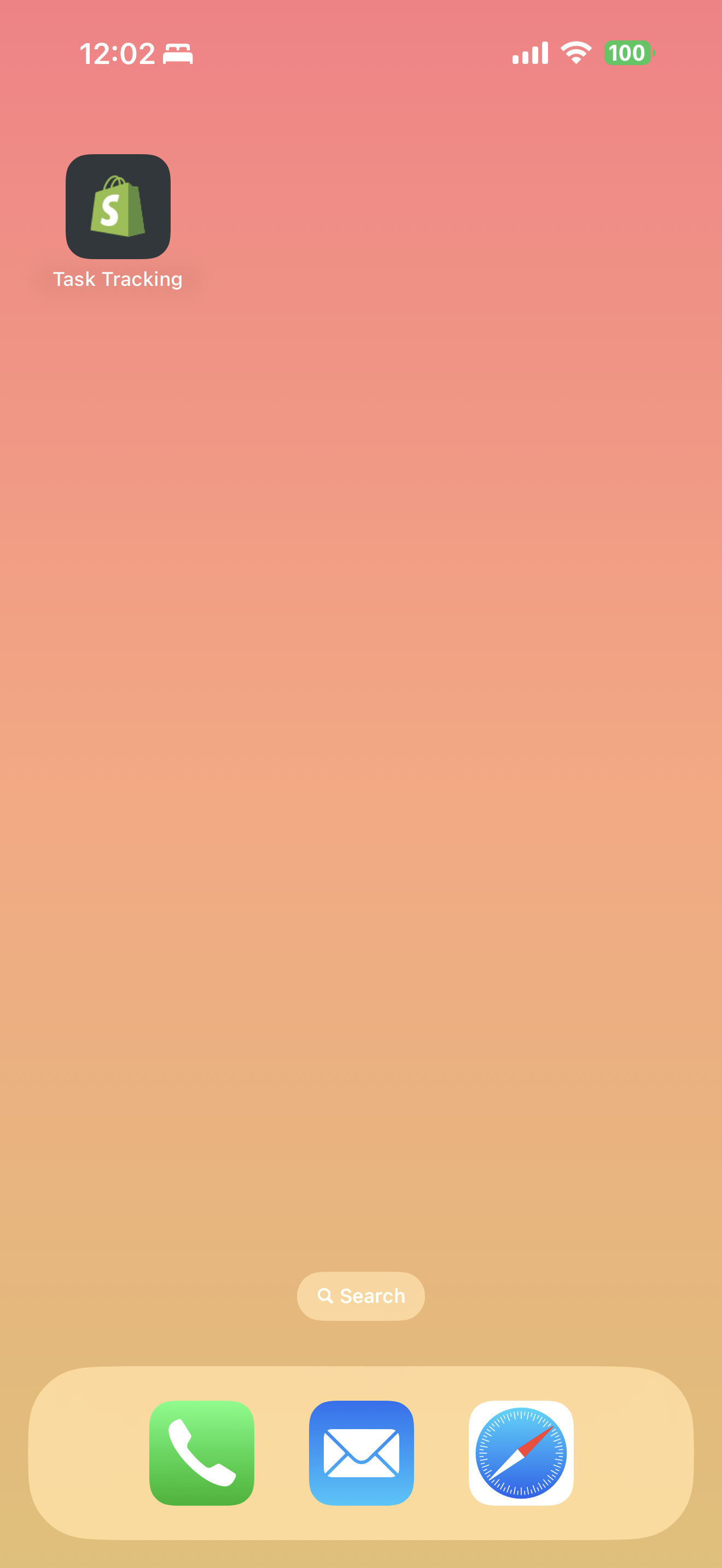
Add Task Tracking to your iOS Home Screen
You can add Task Tracking to your iOS device home screen by taking the following steps:
- First you should navigate to your Shopify store's admin page in Safari (not the Shopify native application). This will be necessary to save the application to your home page.
- Click Apps -> Task Tracking to launch the application.
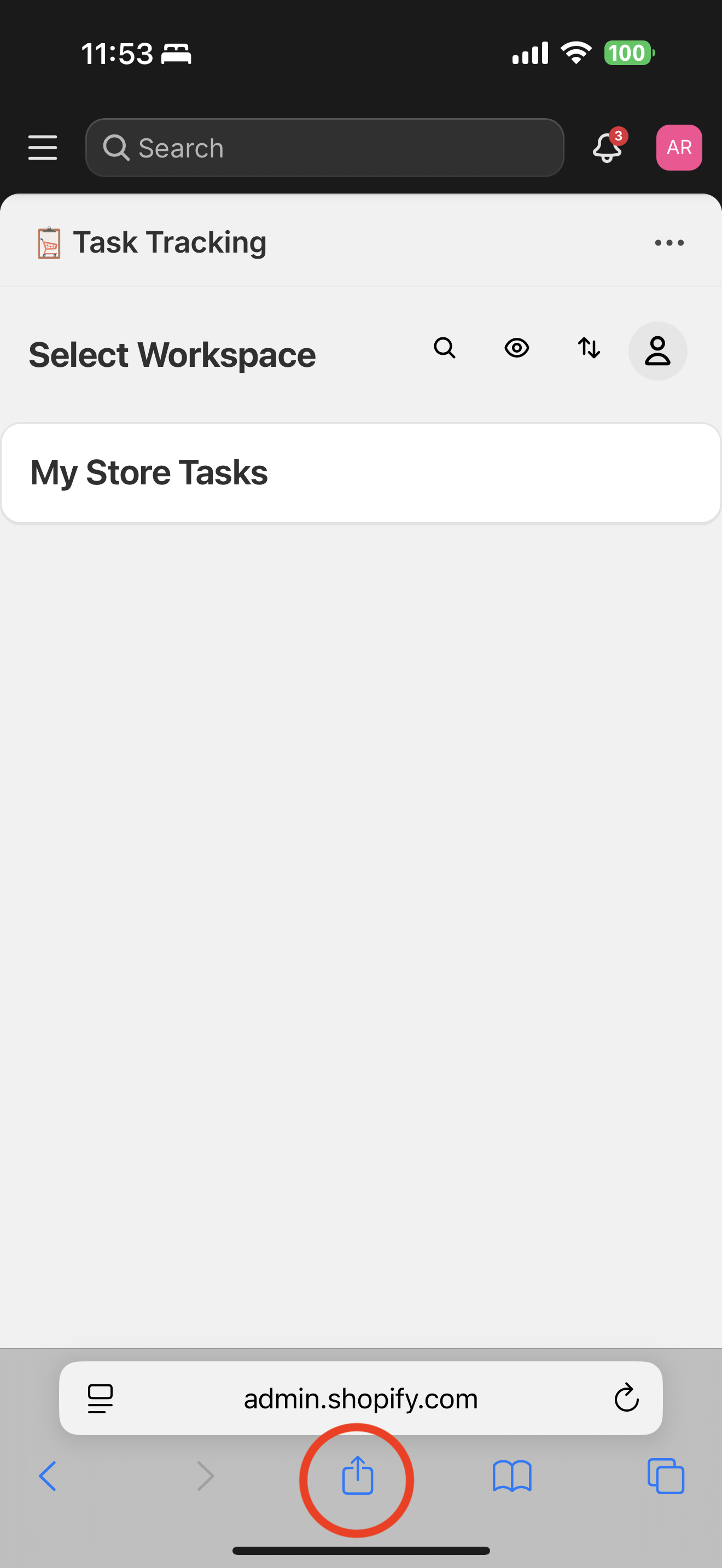
- Click the share button at the bottom of the screen.
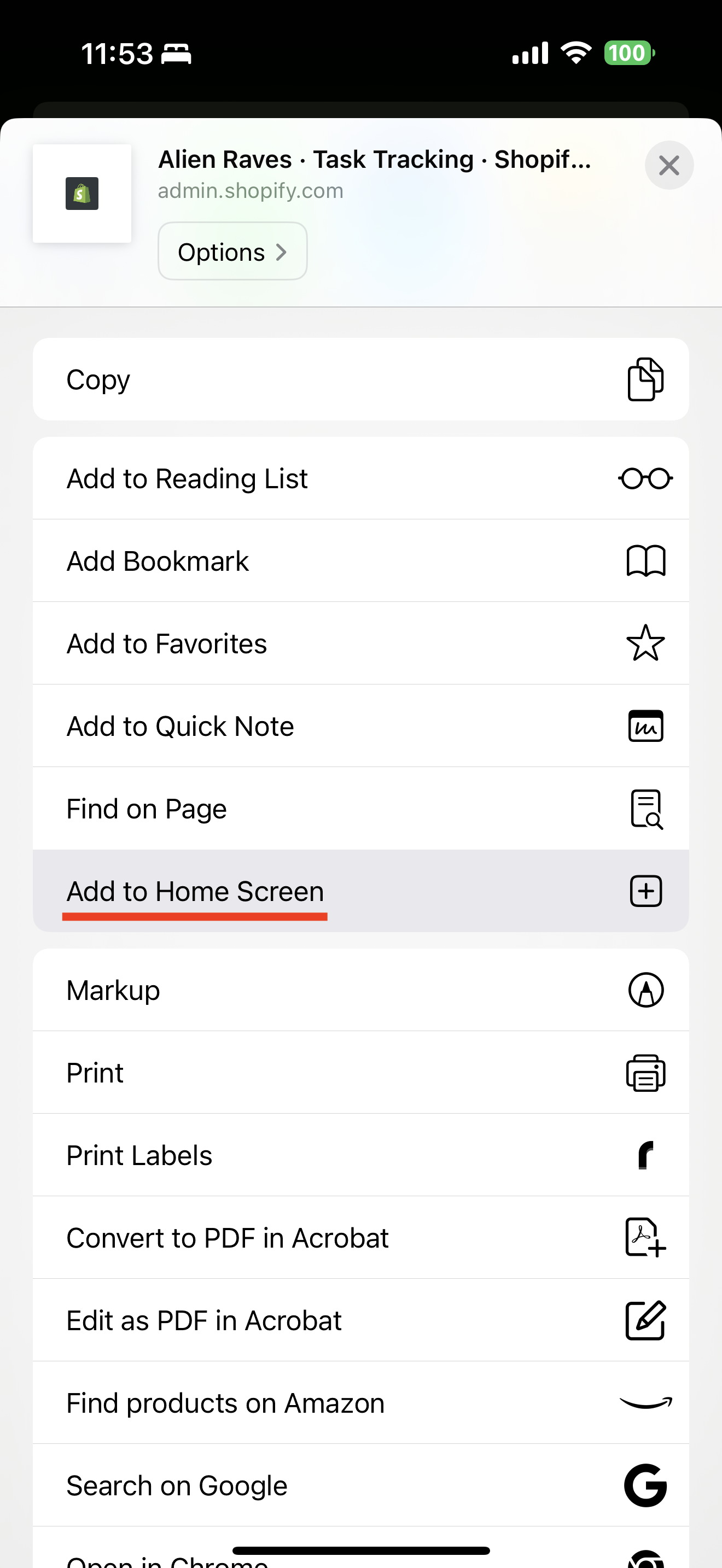
- Click "Add to Home Screen"
Note: you may be required to login to Shopify again after launching the mobile shortcut.
Now that you have Task Tracking configured:
- Subscription Plans - Understand the available plans