Task Status Settings
You can edit the Task Status Settings for a workspace in the Workspace Settings Page.
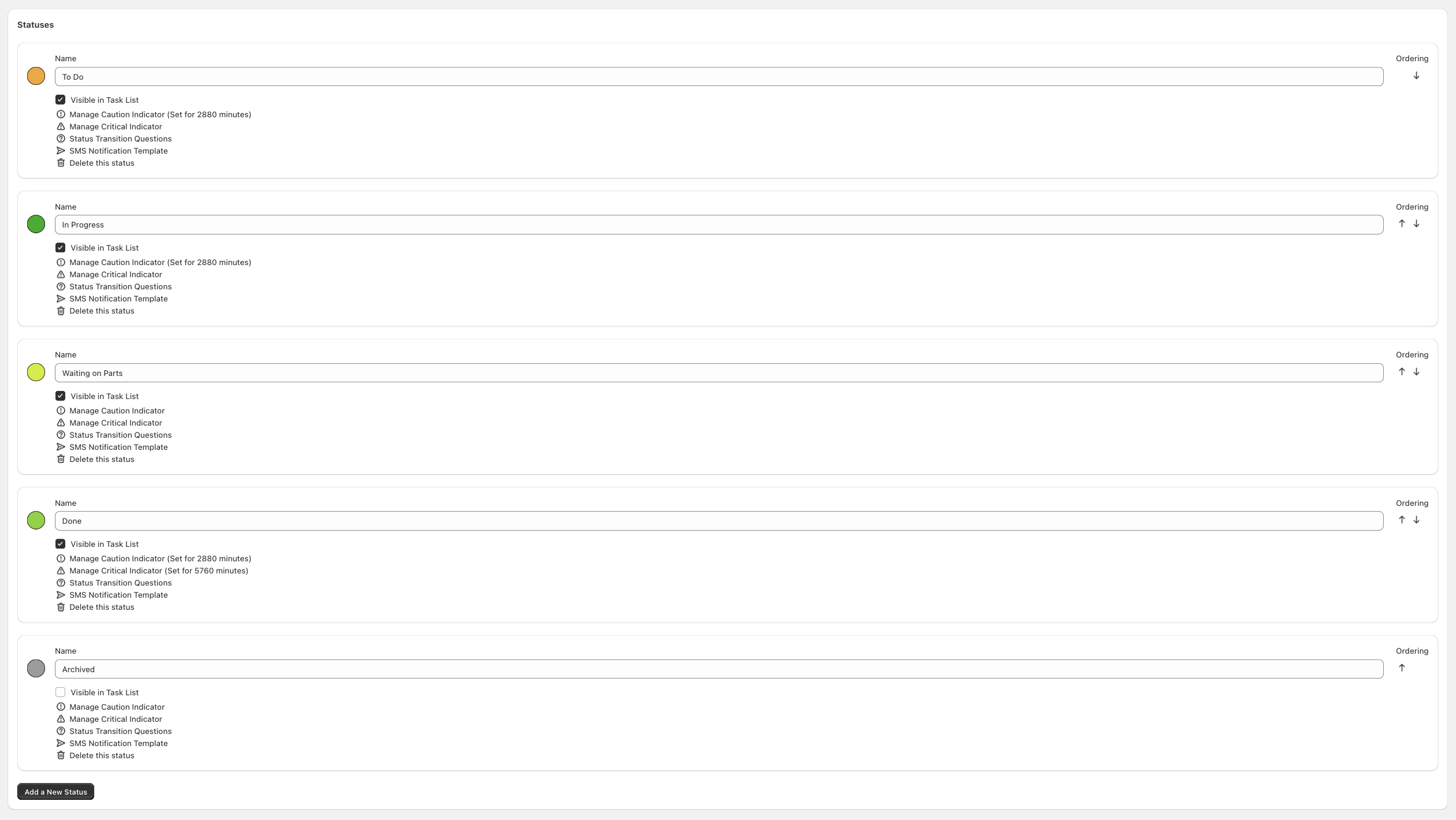
Controls
Reorder Arrows
You can click on the errors to change the order of Task Statuses. This will affect the column order on the Workspace Page, the Task Page Task Status List, and the Public Portal.
Create Task Status
You can create a new Task Status on this page.
Task Status Settings
Name
You can change the name of a Task Status on this page.
Color
You can click the color circle next to each Task Status name to show a color picker.
Caution Indicator
Caution and Critical indicators enable you to change the display of a task in the Task Grid Page to see which tasks need immediate attaention.
Critical Indicator
A second indicator which is more prominent than the caution indicator.
Visible in Task List
Whether or not the status is visible in the Workspace Task List. This is useful in order to have a few final states that don't pollute the Workspace Page, e.g., Archived.
Status Transition Questions
You can record questions to ask your employees as they work on tasks. Maybe you have some freeform content, a checkbox, or a radio input.
SMS Notification Template
SMS notifications can be sent to customers as tasks move through your workflow. The modal will instruct you on the various availalbe template parameters. Replies are not monitored or forwarded to you. Customers must have a valid phone number and must not be unsubscribed from SMS messages for the message to succeed.
Delete this status
Task Statuses can be deleted. Warning: This may cause some tasks to be status ophaned, where they are not set to an in-use Task Status.