Workspace Overview
Workspaces are collections of related tasks. Shops may have different workspaces for different areas of their business.
Some features that can differentiate one workspace from another:
- One workspace may have a public task portal and others won't.
- Different sets of task questions per task.
- Different task statuses and workflows per task.
Creating Workspaces
You can create workspaces from two pages in the Task Tracking app:
- The home page
- Settings
Editing Workspaces
Editing workspaces is the same as creating them, simply click the settings icon, then select a page to manage. The edit screen has a few different subpages:
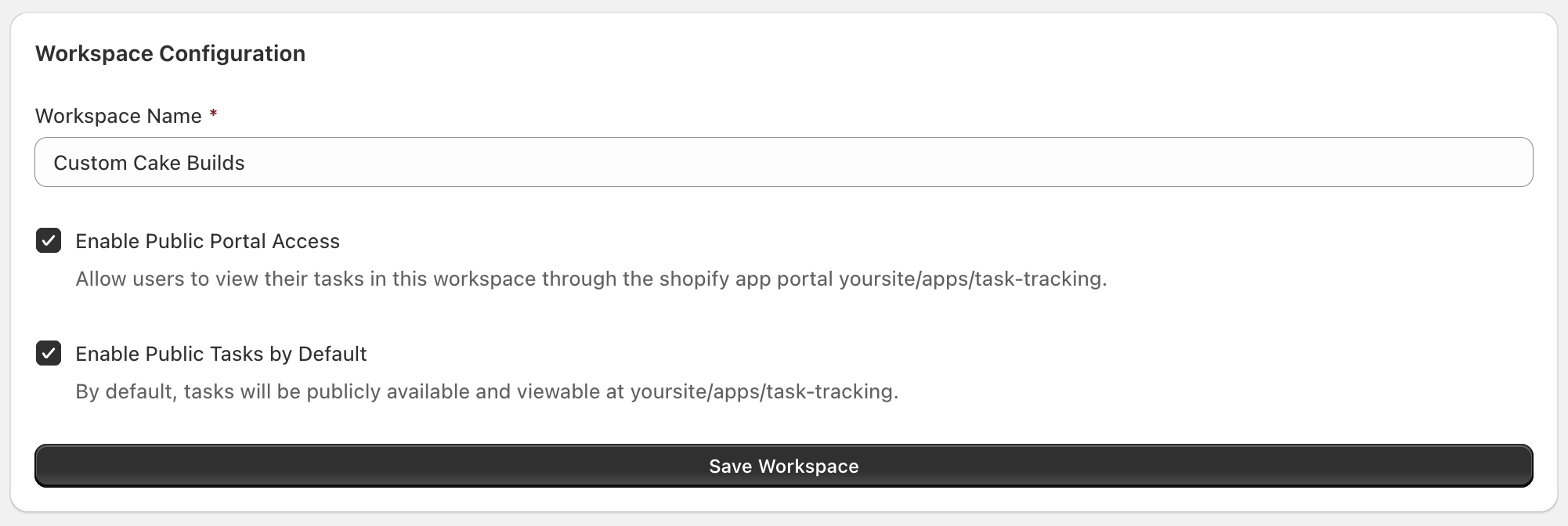
Workspace Configuration
On this page you primarily have control over the workspace name, which is visible on various pages of the Public Portal and admin center. You also have controls for the Public Task Portal.
Task Status Settings
Controls different status for tasks per workspace. See the standalone page: Task Status Settings
Delete Workspace
Deleting a workspace hides it from the list of workspaces on the home page. It does not delete tasks and you can restore the workspace in the future if you would like.